Manage your GitHub Repositories
Connect and manage the GitHub repositories available to Runners in your workspace.
The connection between Luxor Agent Cloud and your GitHub Organization is managed by the Luxor Agent Cloud GitHub Application. From there, you define the level of access you grant, including which repositories the app can access.
This access is used to link repositories to your workspace:
- If you grant access to all repositories, your workspace automatically gets access to both existing repositories and any new ones created in the future.
- If you choose to limit access to a selected set of repositories, you can manage this directly from the GitHub UI, and any changes will be automatically reflected in your workspace.
Repository access: All repositories
Everything is handled automatically by the application.
Any repository created, updated, or deleted in the GitHub Organization connected to your workspace is automatically reflected in the Organization tab. No manual action is required.
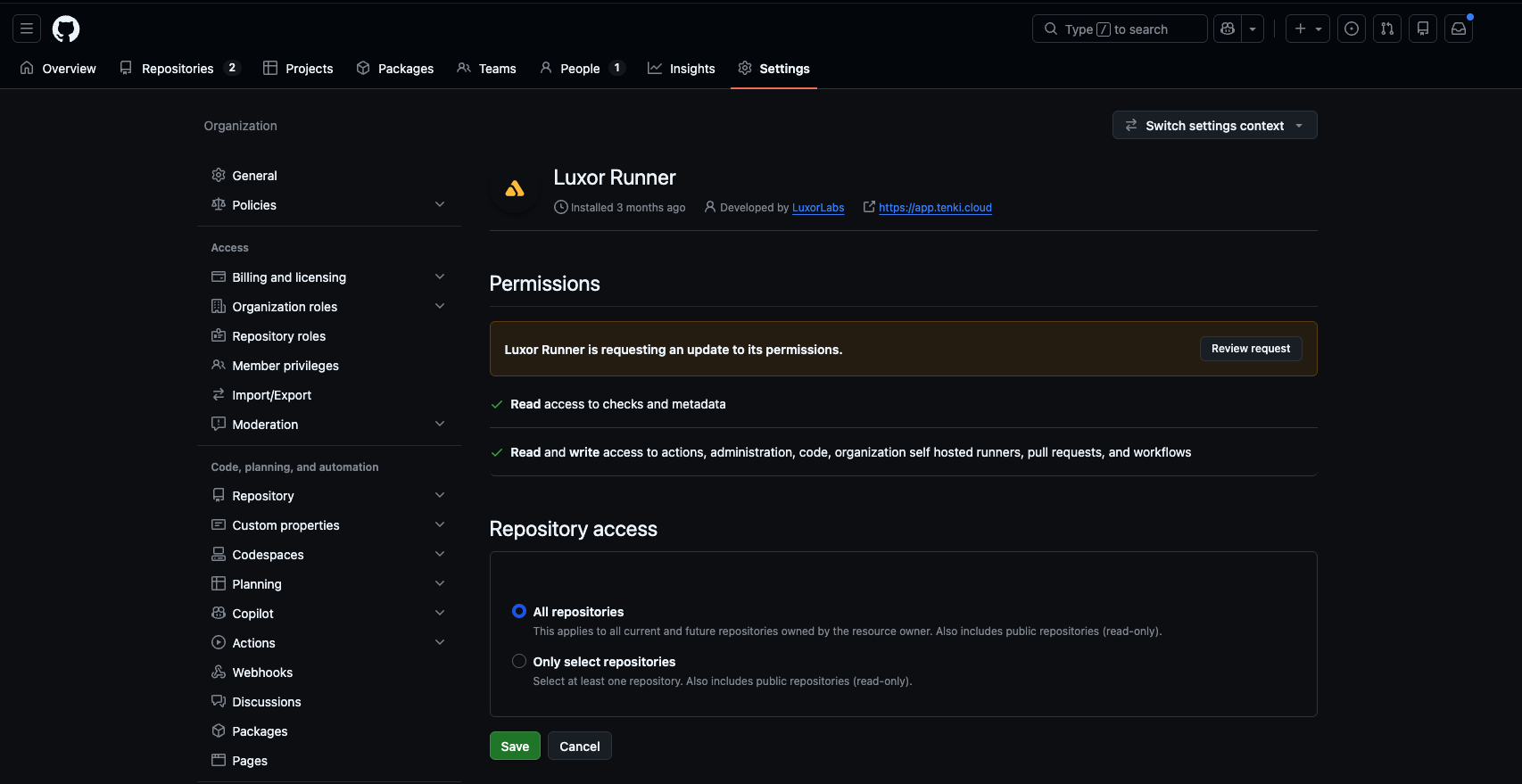
Repository access: Selected repositories
When repository access is set to Selected repositories, the workspace can access only those specific repositories.
Any changes you make in GitHub, such as adding or removing repositories, are automatically applied to your workspace.
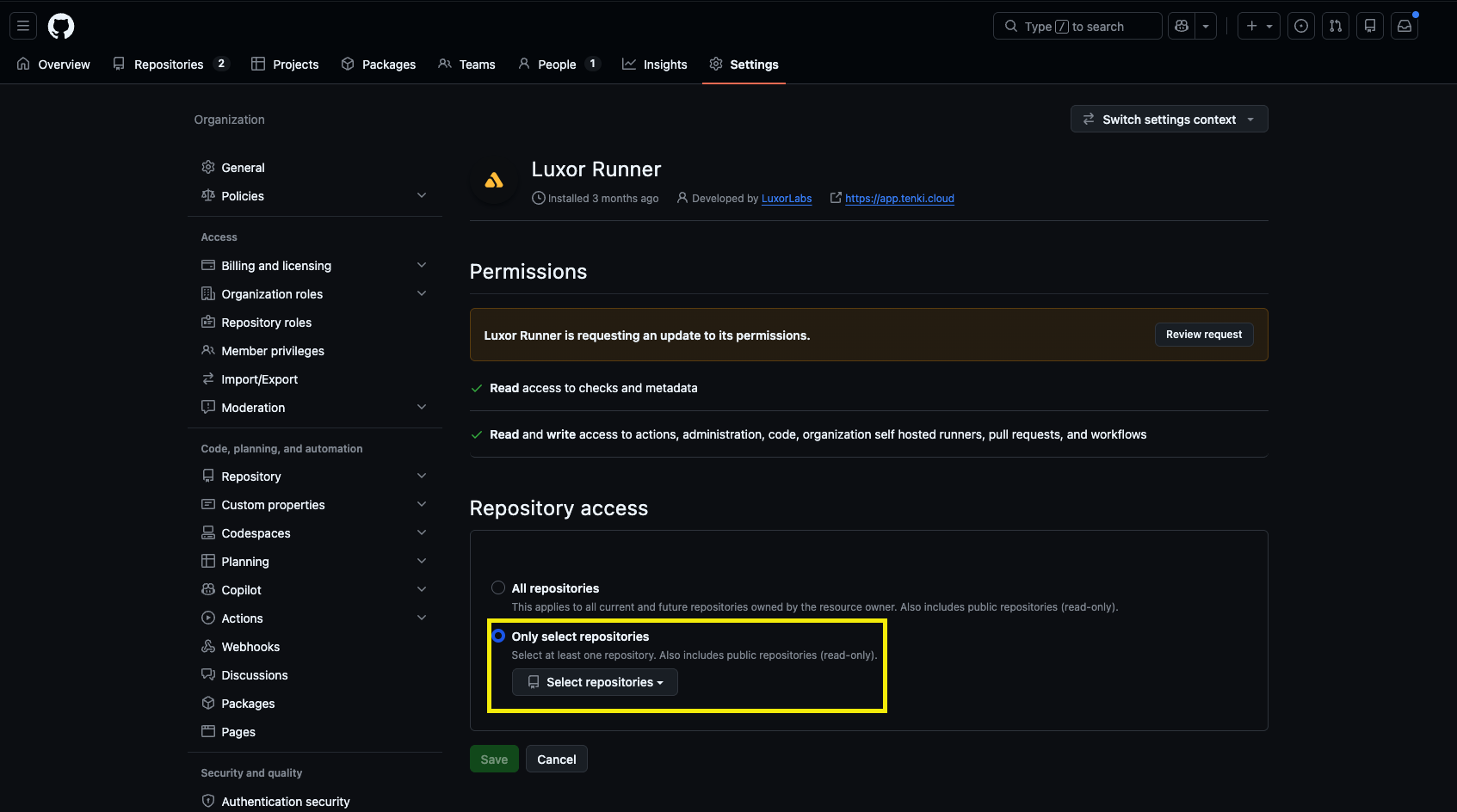
Update which repositories Runners can access
Repository access is always managed from GitHub, and your workspace reflects whatever you configure there:
Under Repository access, choose All repositories or Only select repositories and adjust the selection.
Frequently asked questions
Do I manage repository access in Luxor Agent Cloud or in GitHub? In GitHub. The Luxor Agent Cloud GitHub App is the source of truth, and your workspace mirrors it automatically.
If I add a new repository, do I have to connect it manually? Only if you're on Selected repositories: add it to the app's list in GitHub. On All repositories, new repos appear automatically.
Will removing a repository from Runners affect my GitHub repo? No. Changing access only controls what Runners can see; it never modifies or deletes your GitHub repositories.
For the access levels the GitHub App requests, see Luxor Agent Cloud GitHub Application Access Levels.